
ONLINE STORE
FREE SHIPPING NATIONALLY


Blackmagic
Blackmagic Design Fairlight Desktop Console
Blackmagic Design Fairlight Desktop Console
Couldn't load pickup availability
SKU:
Blackmagic Design Fairlight Desktop Console
The Fairlight Desktop Console is a compact, self-contained audio mixing control surface designed to streamline audio post-production, mixing, and automation within DaVinci Resolve. It provides a full set of physical, tactile controls in a portable desktop form factor suited for independent suites, home studios, and commercial editing bays.
Precision Motorised Faders and Channel Strips
The central panel features 12 belt-driven 100 mm touch-sensitive motorised faders engineered for smooth resistance and precise level adjustments. Bank control keys allow operators to step seamlessly across fader layers to manage large multi-track timelines.
Each of the 12 channel strips includes illuminated hardware keys for Solo, Mute, and Select functions. Positioned at the top of each strip is a high-resolution color LCD display showing track names, track numbers, color coding, level meters, panning state, and bus routing. Assignable touch-sensitive rotary encoders provide variable pan control or soft-parameter adjustments for dynamics and EQ.
Dedicated Transport Control and HDMI Graphical Output
Navigation and transport tasks are driven via a weighted search dial with an adaptive clutch mechanism for jogging and shuttling through complex project timelines. Dedicated buttons surrounding the jog dial provide direct control over play, stop, loop recording, automation modes, marker creation, and timeline editing tools.
An HDMI video output allows an external monitor to be connected directly to the console. The HDMI output renders a graphical interface showing complete channel strip details, bus assignment configurations, dynamics curves, EQ graphs, and loudness metering synchronized with physical console actions.
Connectivity and Console Ergonomics
The chassis features a solid metal build with a soft-touch wrist rest designed for operator comfort during long mixing sessions. It can sit directly on a desk surface or be mounted flush into custom console furniture.
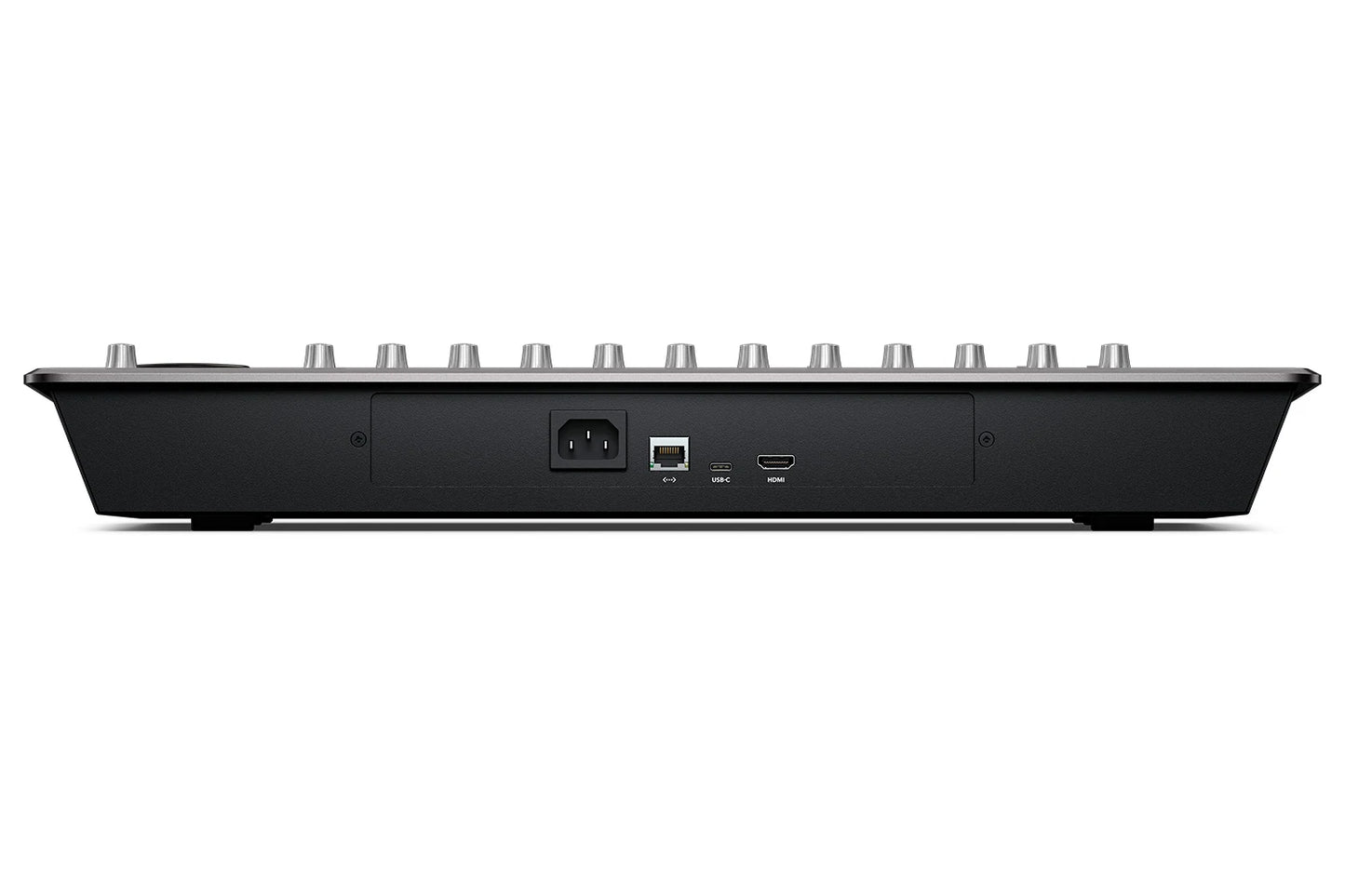
Host connectivity is provided via a USB Type-C port or an RJ45 Gigabit Ethernet interface for high-speed parameter communication with DaVinci Resolve. The unit houses an internal power supply, requiring only a standard IEC power lead without external power bricks.
Technical Specification Overview
| Feature | Detail |
| Physical Faders | 12 x 100 mm Touch-Sensitive Motorised Faders |
| Channel Status Screens | 12 x High-Resolution Color LCD Displays |
| Rotary Encoders | 12 x Touch-Sensitive Rotary Knobs |
| Video Output | 1 x HDMI Type-A (Supports 1080p50 / 59.94 / 60 graphical feeds) |
| Computer Communication | USB Type-C 3.0 and 10/100/1000 Base-T Ethernet |
| Transport Navigation | Weighted Search Dial with Adaptive Electronic Clutch |
| Internal Power Supply | 100-240V AC 50/60Hz (IEC C14 Mains Connector) |
| Power Consumption | 20W Maximum |
| Operating System Support | macOS 10.15 or later, Windows 10 64-bit |
See manufacturer website for specific product warranty information.
Share


NEED LARGE QUANITITIES?
For large quantity bulk orders
or
International orders (outside Australia) please contact us prior to ordering.
We have additional products not listed online.
For items not listed here, please contact us.
Warranty
For the best performance and to ensure your new product works perfectly with your existing setup, we strongly recommend having a professional audiovisual technician install and configure your equipment.
Professional installation provides several key benefits:
Optimal Performance: An experienced technician will properly calibrate and fine-tune your new component to achieve the highest possible audio and video quality. They can also ensure seamless integration with your current system.
Trouble-Free Setup: AV equipment can be complex. A professional will handle the setup efficiently and safely, preventing any potential damage to the product or your space.
Peace of Mind: Knowing your equipment is installed correctly gives you confidence that it will function reliably for years to come.
Understanding Product Warranties
Your product is covered by a manufacturer's warranty.
This means that any warranty claims, service requests, or repairs must be handled directly through the manufacturer.
To ensure your warranty remains valid, it is crucial that you follow the manufacturer's warranty guidelines and instructions.
These guidelines often specify requirements for installation, use, and maintenance. Failure to follow them could void your warranty.
You can find the specific warranty information and contact details for your product in the documentation on the manufacturer's website.
It is always a good idea to register your product with the manufacturer after purchase, as this can simplify the process if you ever need to make a warranty claim.
If you have any questions about your new equipment or need a recommendation for a professional installer, please don't hesitate to contact us. We're here to help you get the most out of your purchase.
